Option chains usually live on a broker’s website, away from your chart. This script brings the NIFTY option chain onto TradingView, and adds a technical rating for every strike.
What it shows
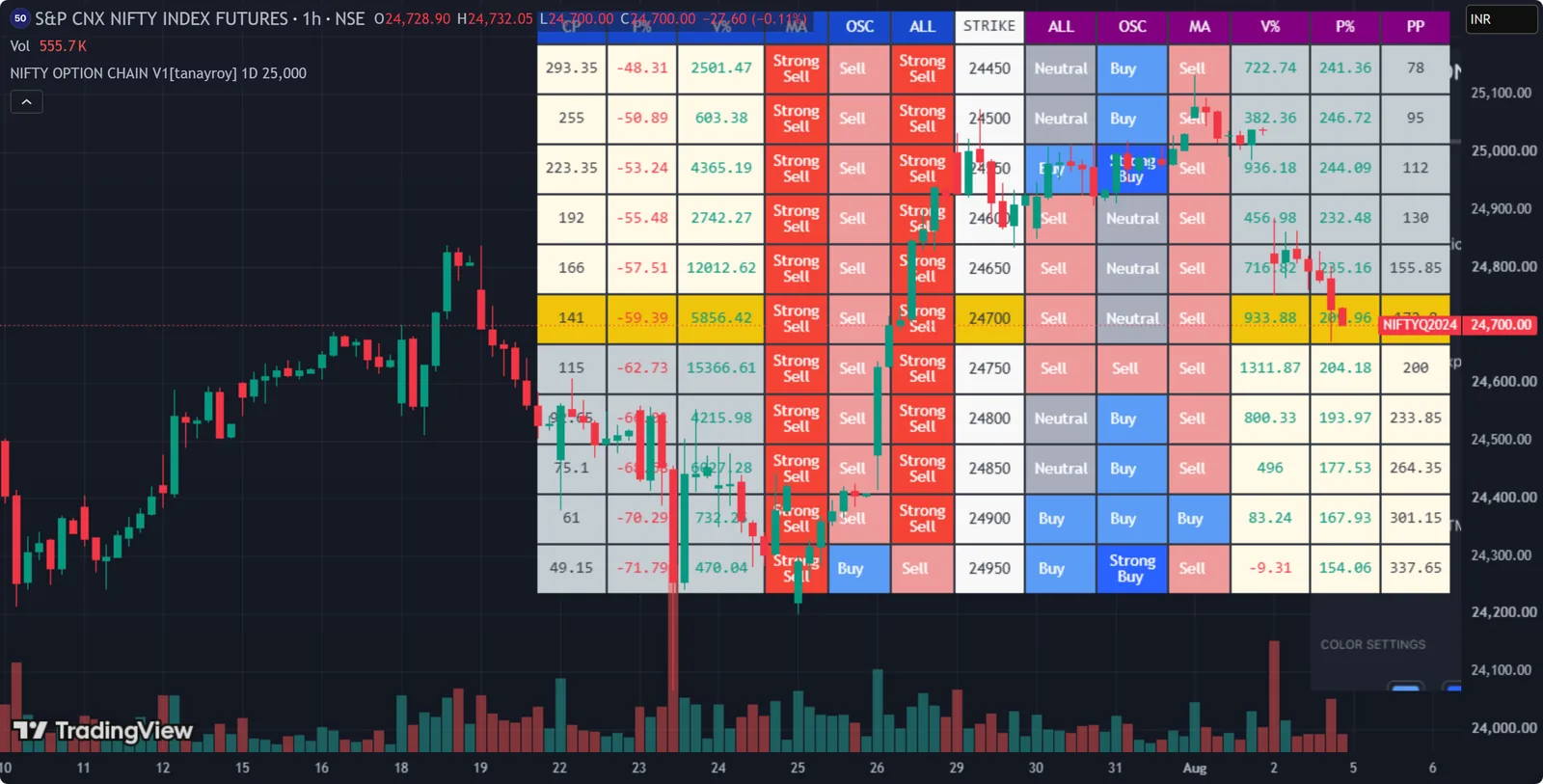
For each strike, with calls and puts side by side:
- the option’s price and price change,
- the volume change, and
- three technical ratings: moving averages, oscillators, and a combined total.
Ratings are colour-coded, and you can choose the colours.
How it works
- NIFTY only. It works on
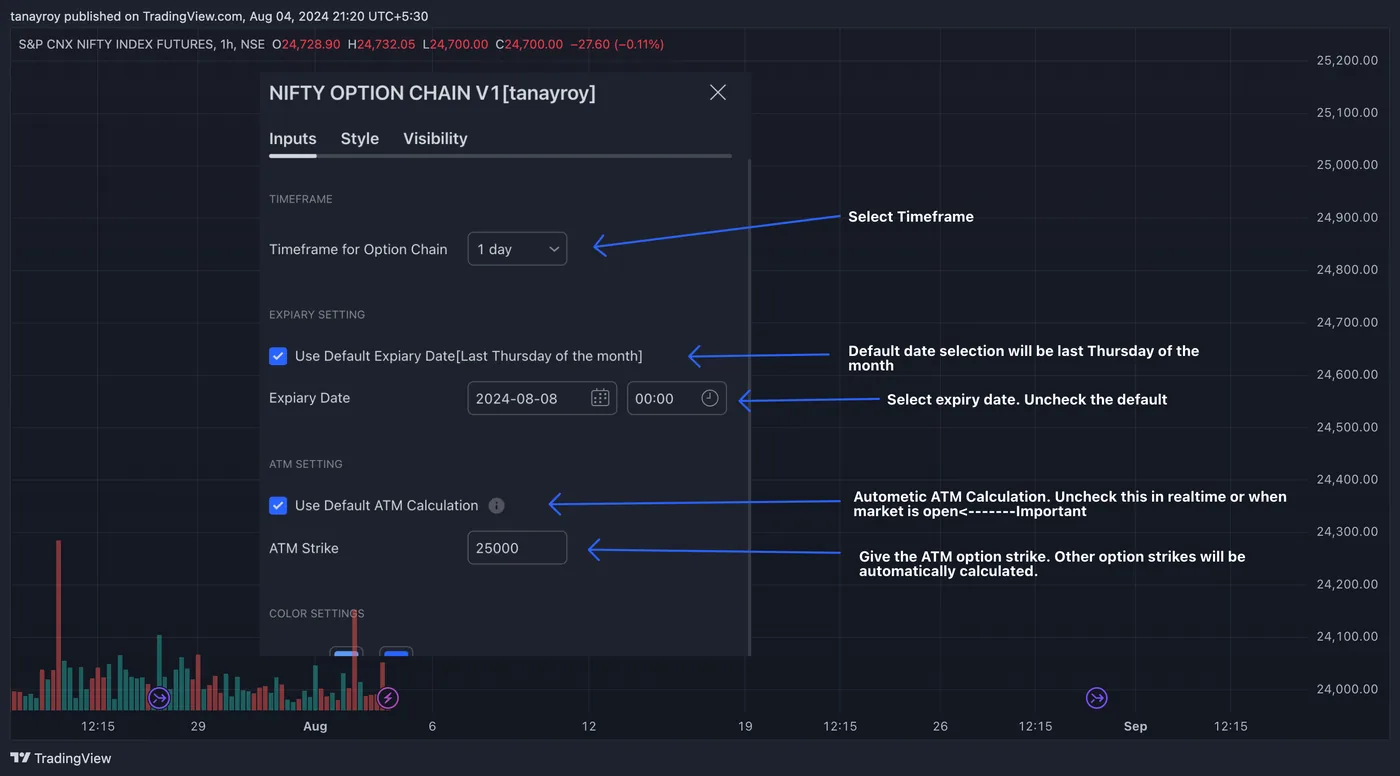
NIFTYandNIFTY1!(NIFTY futures). On any other symbol it shows an error message. - Expiry date: calculated automatically, with a manual override for when the automatic date is wrong, for example around holidays or when the exchange changes its expiry schedule.
- ATM strike: calculated automatically from the current NIFTY or NIFTY futures price. Because of a Pine Script limitation, switch off the automatic option during market hours and enter the ATM strike yourself.
- ITM and OTM strikes are calculated around the ATM strike, so the chain stays centred on the strikes that matter.
- Timeframe: the timeframe used for the ratings. The default is daily.
Access
This is an invite-only script. Use the Request access button to ask by email, and include your TradingView username.